Game Introduction
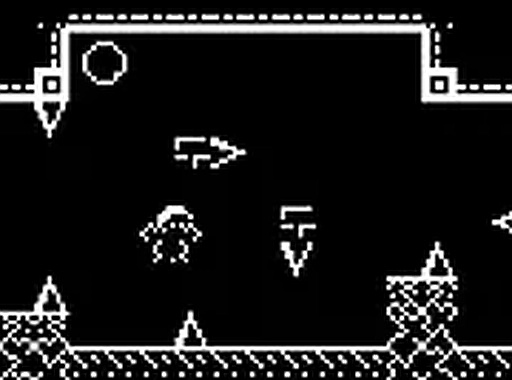
Lost Treasures Puzzle Quest is a cheerful browser-based puzzle adventure that follows a homebody whose collection of cherished keepsakes is scattered by a sudden gust of wind. Forced to leave the comfort of his home, he must venture into various outdoor environments to retrieve his belongings before they are lost for good. The game presents a whimsical storyline with a pixel art visual style that evokes a sense of nostalgia. Players guide the protagonist through different areas, solving puzzles and overcoming light obstacles to recover each item. The experience is designed to be accessible and enjoyable for players of all ages, offering a relaxing pace and a humorous narrative. As a free online game that runs directly in a desktop browser, it provides immediate entertainment without any need for downloads or installations. The core objective is straightforward: explore, solve, and collect, making it an ideal choice for casual gamers and puzzle enthusiasts seeking a lighthearted diversion.
How to Play
Players control the main character using standard keyboard inputs to move through the game world. Interaction with objects and non-player characters is performed by clicking with the mouse. The primary goal is to locate and gather all the scattered keepsakes, which are hidden in various spots across each outdoor area. Clues and helpful items can be found along the way to assist in the search. The controls are intuitive, allowing players of any skill level to begin playing immediately. For a more engaging view, the game can be switched to full-screen mode. The interface is straightforward, focusing on exploration and simple puzzle-solving mechanics.
Game Features
The game features a charming pixel art style that creates a visually appealing and nostalgic atmosphere. Its lighthearted storyline and humorous premise provide motivation for players to progress through the adventure. Being browser-based and free to play, it requires no downloads or installations, offering instant access. A full-screen mode is available to enhance the visual experience. The puzzles are designed to be engaging yet accessible, suitable for a broad audience. The game runs smoothly on desktop computers, ensuring a consistent and enjoyable experience.
Tips for Success
Take your time to explore every area thoroughly, as keepsakes may be tucked away in unexpected corners. Pay close attention to visual cues and dialogue from characters you meet, as they often provide hints. Using full-screen mode can help you spot small details. If you feel stuck, try interacting with all objects in a scene—sometimes a simple click reveals a hidden path or item. Practice moving your character carefully to navigate around obstacles efficiently.








Comments
0 comments