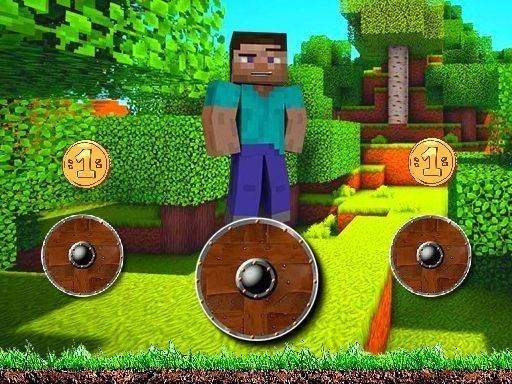
Steve's Rotating Platform Adventure

Steve's Rotating Platform Adventure

Genre: Adventure , Puzzle , Timing , Family , Casual , Skill

Developer: Bright Core Interactive
Published: 2024-10-30
Updated: 2026-07-04

Reviews

Rotate and Jump Adventure offers a refreshing take on the platformer genre. The rotating platforms create a unique timing challenge that is both fun and rewarding. With seven progressively difficult levels and cheerful visuals, it is perfect for players of all ages. The simple one-click controls make it easy to pick up, while the increasing difficulty keeps it engaging. A great choice for casual gaming sessions.

Description

Game Introduction

Rotate and Jump Adventure is an online platformer game where players assist a cheerful character named Steve on his journey home. The game features seven distinct levels, each filled with colorful platforms that rotate in various patterns. Players must time their jumps carefully to land safely and progress through each stage. Designed for players of all ages, this game emphasizes skill development and focus without any inappropriate content. It provides a wholesome digital environment where coordination and patience are rewarded. Each level introduces new obstacles and platform arrangements, keeping the experience fresh and engaging. The game is built around simple mechanics that are easy to learn but offer increasing challenge as players advance.

How to Play

Players control Steve by clicking or tapping the screen to make him jump. The platforms rotate continuously, so the key to success is choosing the right moment to jump. Players must land on moving platforms while avoiding obstacles that appear along the way. The controls are straightforward, but mastering the timing is essential to progress. Each level builds on the previous one, requiring players to adapt to new patterns and faster rotations. Observing platform movements before jumping helps players plan their moves effectively.

Game Features

Rotate and Jump Adventure includes seven levels with gradually increasing difficulty. The game uses simple one-click controls that are easy for anyone to learn. Rotating platforms create a unique challenge that tests timing and coordination. Family-friendly obstacles add variety without any violent content. The cheerful character design and colorful visuals make the game appealing to players of all ages. Each level introduces new platform patterns to keep the gameplay interesting.

Tips for Success

Practice regularly to improve your timing and reflexes. Observe the rotation patterns of platforms before making a jump. Stay patient and focus on each landing to avoid mistakes. Take breaks if you feel frustrated to maintain a positive mindset. Learn from each attempt to adapt your strategy for upcoming levels.


Compatibility

• OS: Windows 10+, macOS 11+, iOS 14+, Android 10+
• Browsers: Chrome 100+, Safari 15+, Edge 100+, Firefox 100+
• Not compatible with Internet Explorer
Tested on real devices ✅ works as expected
Faq
Is Rotate and Jump Adventure free to play?
Yes, the game is free to play online. No purchase or download is required. Simply open the game in your browser and start playing immediately.
Can I play Rotate and Jump Adventure on my phone or tablet?
Yes, the game is designed to work on both desktop and mobile devices. You can play by tapping the screen on touch-enabled devices or by clicking with a mouse on a computer.
What happens if Steve falls off a platform?
If Steve misses a jump and falls, you will need to restart that level from the beginning. Each attempt gives you a chance to learn the platform patterns and improve your timing.
Are there any in-game purchases or ads in Rotate and Jump Adventure?
The game may include occasional advertisements to support its free availability. There are no in-game purchases or microtransactions required to play any level.
How long does it take to complete all seven levels?
The time to complete all levels varies by player skill. Beginners may take 15 to 30 minutes, while experienced players can finish faster. Each level presents new challenges that require practice.
Does the game save my progress if I close the browser?
Progress is typically saved in your browser's local storage. If you clear your browser data or play from a different device, you may need to start from the first level again.
Advertisement