Game Introduction
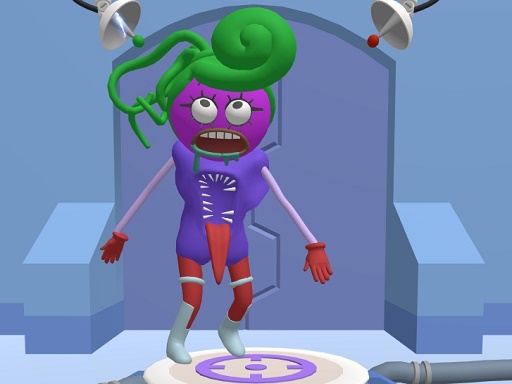
Character Creator Studio is a creativity-focused experience that invites players to design and customize their own unique characters. The core objective is to let imagination run wild by mixing and matching various facial features, colors, and accessories to create a one-of-a-kind creature. This game is designed for all ages, offering a safe and friendly environment where families can explore artistic expression together. What makes it special is the emphasis on personal style—whether you prefer silly, cute, or quirky designs, the possibilities are endless. Developed by BestCrazyGames, this title encourages players to share their creations with friends and family, making it a social and engaging activity for everyone.
How to Play
Playing Character Creator Studio is simple and intuitive. Players typically start by selecting a base character face from the available options, which may include friendly characters like Skibidii, Grimacee, and Poppi Playtime. After choosing a base, you can customize your creature by picking different eyes, mouths, horns, and other features. The game uses drag-and-drop controls, allowing you to place elements exactly where you want them. Experiment with colors and patterns to make your character truly unique. Once your design is complete, you can save it and share it online with friends. The game encourages creativity and experimentation, so feel free to try new combinations without any complicated rules.
Game Features
Character Creator Studio offers a range of features that make character creation fun and accessible. Players can customize character faces with a variety of friendly characters, mix and match different facial features, and unlock exclusive parts that are only available in this game. The ability to share creations with friends and family adds a social element to the experience. The game is designed to be family-friendly, with no inappropriate content, making it suitable for players of all ages. Additional features may include special challenges or menu options that reward exploration and creativity.
Tips for Success
To get the most out of Character Creator Studio, start by experimenting with different combinations of features to discover what looks best. Don't be afraid to try unusual pairings—sometimes the most unexpected designs turn out the most charming. Take advantage of the drag-and-drop controls to fine-tune the placement of each element. If you want to unlock special parts, explore all areas of the game menu and complete any available challenges. Finally, share your creations with others to get feedback and inspiration for your next design. The key is to have fun and let your creativity guide you.







Comments
0 comments