
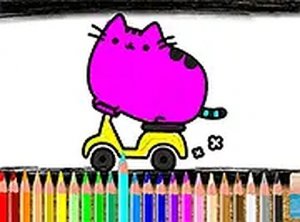
Description
Game Introduction
Kitten Color Art Studio is a free online activity designed for players who enjoy creative expression. The main goal is to select a cat-themed picture and apply colors to different sections using a simple set of tools. This game is built for relaxation and does not include any time limits or complex instructions. It works directly in a web browser, so there is no need to install anything. The activity is suitable for children, parents, and anyone looking for a calm moment. Players can choose from a variety of cat images, each offering a new canvas for color experimentation. The interface is straightforward, making it easy for newcomers to begin without prior experience. Because the focus is on creativity and peace, the game encourages users to proceed at their own speed. It is accessible on both mobile phones and desktop computers, allowing play in many settings. The experience is meant to be soothing and enjoyable, with no pressure to complete a picture quickly. This makes it a good choice for a short break or a longer session of artistic play.
How to Play
To start, pick a cat picture from the collection shown on the screen. Then, look at the color palette and choose a shade you like. Tap or click on the part of the picture you want to color, and that area will fill with the selected color. You can switch colors at any time to create different effects. The game works smoothly on touchscreens and with a mouse. If you want a larger view, you can switch to full screen mode. There are no timers or scoring, so you can color each section carefully. The game automatically saves your progress, so you can stop and come back later to finish your artwork. The controls are simple, which helps beginners feel comfortable while still offering enough freedom for more experienced users to explore.
Game Features
This game is completely free to use. It is designed to work well on mobile devices and also supports full screen mode for a more focused view. The coloring tools are straightforward and allow for creative choices. You can undo or redo your last actions to correct mistakes or try different ideas. Progress is saved automatically, so you can continue a picture across multiple sessions. The interface is clear and easy to navigate, making it accessible for young players and enjoyable for older ones. The overall design promotes a stress-free environment with no time limits or complicated rules. Because it runs in a browser, you can play on various devices without downloading anything.
Tips for Success
Take your time with each picture and enjoy the process of choosing colors. Try different combinations to see what looks best. Use the undo feature if you want to change something. Coloring regularly can help improve focus and provide a relaxing activity. Since the game saves your work, you can spread a single picture over several days. Most importantly, have fun and let your creativity guide your choices.
Player Comments
Sign in to comment
You must be logged in before posting a review or rating.
No account? Create one
No comments yet. Be the first to comment!